







Holiday branding doesn’t need a huge budget. With strategic minimalism, optimized CTAs, lightweight visuals, and free design tools, web designers can boost conversions and seasonal appeal without slowing down site performance.
Businesses have a fantastic opportunity to increase conversions, clear inventory, and establish an emotional connection with their audience during the holiday season. Nonetheless, a lot of startups and small enterprises have tight design budgets. Your task as a web designer is to maximize impact with the least amount of resources, not to create a completely new website. Strategic minimalism, the use of free tools, and concentrating solely on high-impact visual touchpoints are the keys to effective, cost-effective holiday branding.
Strategic Minimalism: The Low-Cost, High-Impact Method
To look festive, you don’t need to redesign your website entirely. Applying holiday cheer like virtual tinsel—in targeted, high-visibility locations—is the most efficient cost-effective tactic. This reduces expenses, preserves site speed, and saves development time.
The simplest way to win is with the Logo Sparkle. Make a subdued holiday version of the primary logo. To the current logo mark, add a small sprig of holly, a subtle snowflake overlay, or a basic Santa hat. Use it only in the favicon or header. Without the need for intricate coding or a complete rebranding, this announces the season.
- The Color Pop: Don’t bother launching a completely different color scheme. Choose two non-primary colors that dominate your site and replace them with festive colors like forest green and deep cranberry red. Only interactive elements such as buttons and calls-to-action (CTAs) should be modified. In the conversion path, where it counts most, this adds urgency and holiday flair.
- The Header Hero: Create a single, gorgeous, high-quality banner or header image. Your primary holiday offer should be conveyed clearly in this image. Ninety percent of the visual work is done by this one focal point.
Give Contemporary Media Group a call at 973.512.3122 for consultation!
Using Free and Freemium Tools to Get Quick Assets
Discard the notion that high-end software or stock photo subscriptions are necessary for professional vacation assets. Robust free tiers offered by contemporary design tools are ideal for rapid seasonal updates.
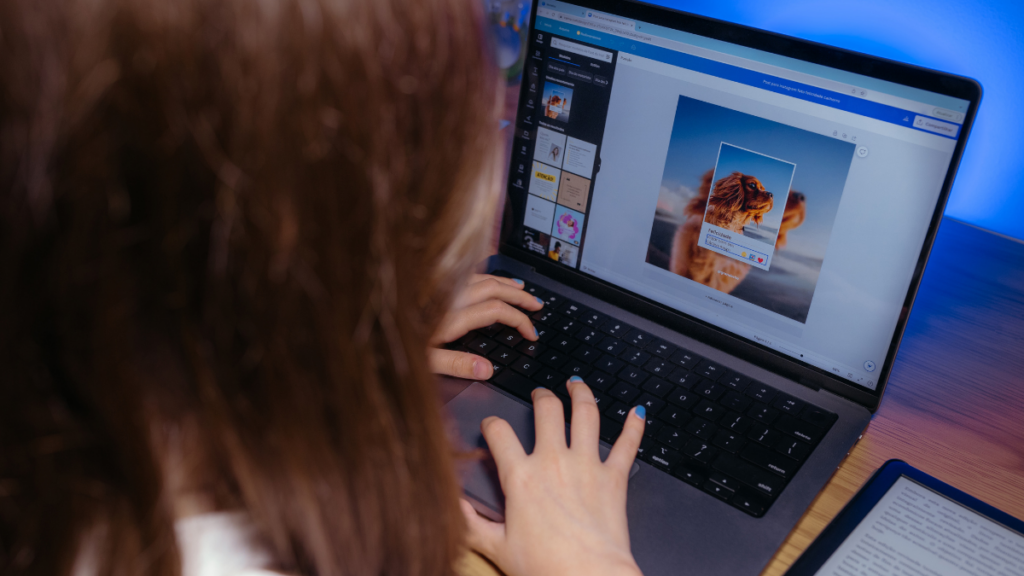
Create on-brand holiday announcement bar designs, email headers, and social media graphics using Canva or Adobe Express. They provide thousands of free holiday templates, stock images, and seasonal vectors that you can quickly edit with the colors and typefaces that are already associated with your company.
Free stock photo websites (like Unsplash and Pexels): Seek out free, high-quality photos of seasonal themes that complement the style of your brand, such as wrapped presents, quaint fireplaces, or wintry scenery. Use these sparingly for blog post headers or background accents.
Google Fonts and Icons: To instantly create a festive atmosphere, use a temporary, ornamental holiday font for headlines and banners, but maintain your main body font for legibility. In a similar vein, replace common shopping cart icons or navigation bullets with straightforward, holiday substitutes (such as a snowflake icon in place of a star) by using free icon libraries.
Did You Know?
According to a study, adding a countdown timer to a holiday landing page can boost conversion rates by up to 8%. This makes it one of the most economical visual changes a web designer can make.
Concentrating on Conversion Hotspots
Focus your design efforts on the pages that directly increase sales when money is limited.
- Personalized CTA Buttons: Make your primary conversion buttons stand out! Update the copy to be urgent and holiday-focused (for example, changing “Shop Now” to “Grab Your Holiday Deal!”), change the background color, and add a subtle animated sparkle effect (using a basic CSS :hover state).
- Gift guides and landing pages: Make just one or two holiday landing pages that are optimized for mobile devices. These pages can have a festive template and only highlight carefully chosen product bundles or gift guides (“Gifts Under $50,” “Tech Gifts”). You can reduce the amount of work required on other areas of the website by directing all holiday traffic here.
- Banners for Shipping and Returns: During the holidays, shipping deadlines and return windows are among the top user concerns. The final order date for guaranteed holiday delivery and any extended return policy should be made clear at the top of the page using a prominent, festive announcement bar (often a free plugin feature). This decreases checkout friction and fosters trust.
The key to perfection is strategic placement, not extravagant expenditure. You can deliver premium holiday branding that increases conversions without going over budget by strategically implementing festive updates and utilizing free tools.
For a professional consultation and a focused, cost-effective holiday design plan, give Contemporary Media Group a call at 973.512.3122.
Frequently Asked Questions (FAQs)
How can I make my site festive without sacrificing loading speed?
Should I use a new, decorative font for the entire holiday site?
[
{
“@context”: “https://schema.org”,
“@type”: “WebPage”,
“url”: “https://contemporarymediagrp.com/web-designers-holiday-branding-on-budget/”,
“name”: “Web Designers: Perfecting Holiday Branding on a Budget”,
“isPartOf”: {
“@type”: “WebSite”,
“url”: “https://contemporarymediagrp.com/”
},
“primaryImageOfPage”: {
“@type”: “ImageObject”,
“url”: “https://contemporarymediagrp.com/wp-content/uploads/2025/11/Web-Designers-Perfecting-Holiday-Branding-on-a-Budget.png”,
“width”: 1200,
“height”: 675
},
“breadcrumb”: {
“@id”: “https://contemporarymediagrp.com/web-designers-holiday-branding-on-budget/#breadcrumb”
},
“datePublished”: “2025-11-27T12:00:00-05:00”,
“dateModified”: “2025-11-27T12:00:00-05:00”,
“inLanguage”: “en-US”
},
{
“@context”: “https://schema.org”,
“@type”: “BlogPosting”,
“headline”: “Web Designers: Perfecting Holiday Branding on a Budget”,
“url”: “https://contemporarymediagrp.com/web-designers-holiday-branding-on-budget/”,
“image”: {
“@type”: “ImageObject”,
“url”: “https://contemporarymediagrp.com/wp-content/uploads/2025/11/Web-Designers-Perfecting-Holiday-Branding-on-a-Budget.png”,
“width”: 1200,
“height”: 675
},
“author”: {
“@type”: “LocalBusiness”,
“name”: “Contemporary Media Group LLC”,
“url”: “https://contemporarymediagrp.com”,
“sameAs”: [
“https://www.facebook.com/ContemporaryMediaGroup/?ref=br_rs”,
“https://www.instagram.com/contemporarymediagrp/”,
“https://www.linkedin.com/company/contemporary-media-group-llc”,
“https://www.youtube.com/watch?v=pHB1dQiOG8I”,
“https://twitter.com/contemporary156”
],
“address”: {
“@type”: “PostalAddress”,
“streetAddress”: “6035 Grand Marina Circle”,
“addressLocality”: “Gainesville”,
“addressRegion”: “GA”,
“postalCode”: “30506”,
“addressCountry”: “US”
}
},
“publisher”: {
“@type”: “LocalBusiness”,
“name”: “Contemporary Media Group LLC”,
“url”: “https://contemporarymediagrp.com”,
“logo”: {
“@type”: “ImageObject”,
“url”: “https://contemporarymediagrp.com/wp-content/uploads/2020/11/CMG_newlogo.png”,
“width”: 600,
“height”: 60
},
“sameAs”: [
“https://www.facebook.com/ContemporaryMediaGroup/?ref=br_rs”,
“https://www.instagram.com/contemporarymediagrp/”,
“https://www.linkedin.com/company/contemporary-media-group-llc”,
“https://www.youtube.com/watch?v=pHB1dQiOG8I”,
“https://twitter.com/contemporary156”
],
“address”: {
“@type”: “PostalAddress”,
“streetAddress”: “6035 Grand Marina Circle”,
“addressLocality”: “Gainesville”,
“addressRegion”: “GA”,
“postalCode”: “30506”,
“addressCountry”: “US”
}
},
“datePublished”: “2025-11-27T12:00:00-05:00”,
“dateModified”: “2025-11-27T12:00:00-05:00”,
“inLanguage”: “en-US”,
“keywords”: “Holiday Branding, Web Design Budget, Web Designer, CSS, Free Design Tools, Canva, Conversion Hotspots, Seasonal Branding, Logo Design”,
“wordCount”: 450,
“timeRequired”: “PT4M”,
“speakable”: {
“@type”: “SpeakableSpecification”,
“cssSelector”: [
“.pi-text-bg-base”
]
},
“audience”: {
“@type”: “Audience”,
“audienceType”: “Web designers, branding specialists, and small business owners seeking budget-friendly holiday design upgrades”
},
“mainEntity”: {
“@type”: “Question”,
“name”: “How can web designers create high-impact holiday branding on a budget?”,
“text”: “Strategic minimalism, optimized CTAs, lightweight visuals, and free design tools help designers create seasonal branding without sacrificing performance.”
},
“potentialAction”: {
“@type”: “CommunicateAction”,
“name”: “Call Contemporary Media Group”,
“target”: “tel:+19735123122”
}
},
{
“@context”: “https://schema.org”,
“@type”: “FAQPage”,
“mainEntity”: [
{
“@type”: “Question”,
“name”: “How can I make my site festive without sacrificing loading speed?”,
“acceptedAnswer”: {
“@type”: “Answer”,
“text”: “Avoid large unoptimized media and excessive new code. Use compressed SVGs and lightweight CSS transitions instead of heavy GIFs or video backgrounds. Ensure the hero banner is optimized as WebP or AVIF to maintain a fast LCP score.”
}
},
{
“@type”: “Question”,
“name”: “Should I use a new, decorative font for the entire holiday site?”,
“acceptedAnswer”: {
“@type”: “Answer”,
“text”: “No. Keep the primary readable font for body copy. Use decorative fonts only as accents for headlines or banners. Applying them across all text hurts readability, accessibility, and site performance.”
}
}
]
},
{
“@context”: “https://schema.org”,
“@type”: “BreadcrumbList”,
“@id”: “https://contemporarymediagrp.com/web-designers-holiday-branding-on-budget/#breadcrumb”,
“itemListElement”: [
{ “@type”: “ListItem”, “position”: 1, “name”: “Home”, “item”: “https://contemporarymediagrp.com/” },
{ “@type”: “ListItem”, “position”: 2, “name”: “Our Blog”, “item”: “https://contemporarymediagrp.com/blog/” },
{ “@type”: “ListItem”, “position”: 3, “name”: “Web Designers: Perfecting Holiday Branding on a Budget”, “item”: “https://contemporarymediagrp.com/web-designers-holiday-branding-on-budget/” }
]
},
{
“@context”: “https://schema.org”,
“@type”: “Service”,
“name”: “Branding & Graphic Designing”,
“serviceType”: “Holiday branding and web design optimization”,
“provider”: {
“@type”: “Organization”,
“name”: “Contemporary Media Group”,
“url”: “https://contemporarymediagrp.com”
},
“areaServed”: [
{ “@type”: “Place”, “name”: “New Jersey” },
{ “@type”: “Place”, “name”: “Georgia” },
{ “@type”: “Place”, “name”: “New York” }
]
},
{
“@context”: “https://schema.org”,
“@type”: “LocalBusiness”,
“name”: “Contemporary Media Group”,
“image”: “https://contemporarymediagrp.com/wp-content/uploads/2025/11/Web-Designers-Perfecting-Holiday-Branding-on-a-Budget.png”,
“telephone”: “+1-973-512-3122”,
“priceRange”: “$$$”,
“address”: {
“@type”: “PostalAddress”,
“streetAddress”: “33 Maple Parkway”,
“addressLocality”: “Sparta”,
“addressRegion”: “NJ”,
“postalCode”: “07871”,
“addressCountry”: “US”
},
“geo”: {
“@type”: “GeoCoordinates”,
“latitude”: 41.01084797097208,
“longitude”: -74.663276
},
“url”: “https://contemporarymediagrp.com”,
“sameAs”: [
“https://www.facebook.com/ContemporaryMediaGroup/?ref=br_rs”,
“https://www.instagram.com/contemporarymediagrp/”,
“https://www.linkedin.com/company/contemporary-media-group-llc”,
“https://www.youtube.com/watch?v=pHB1dQiOG8I”,
“https://twitter.com/contemporary156”,
“https://maps.app.goo.gl/C9jxHURcMEYyvLZi7”
],
“areaServed”: [
{ “@type”: “Place”, “name”: “New Jersey” },
{ “@type”: “Place”, “name”: “Georgia” },
{ “@type”: “Place”, “name”: “New York” }
],
“potentialAction”: {
“@type”: “CommunicateAction”,
“name”: “Call Contemporary Media Group”,
“target”: “tel:+19735123122”
}
}
]


