






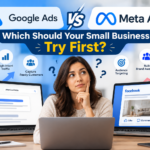

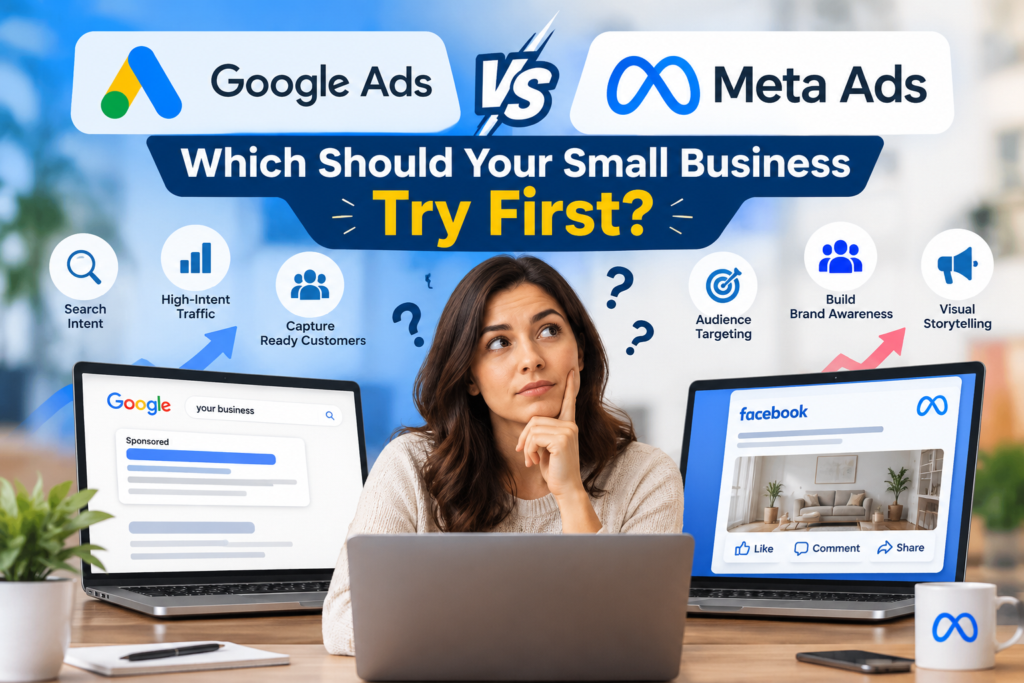
Google Ads vs Meta Ads: Which Should Your Small Business Try First?
QUICK ANSWER Use Google Ads when customers are searching for something you offer, as this leverages the existing intent and generates leads of higher quality. When your product is visual, impulse buying or not familiar enough to generate interest, use Meta Ads as it will create intent for a lower CPC. If you can afford it, consider adding the second platform once the first starts generating conversions. |
A small business owner who has a small budget for advertising needs to select just one medium and make it successful. Google offers leads as well as Meta does, making the decision seem like a flip of the coin. But that isn’t true.
The real question should be: Where will your potential customer be at the moment of purchase? The answer will depend on whether he or she will be actively looking for the product or just browsing without being engaged by anything.
DEFINITION Google Ads is a cost-per-click service where the ads are shown to customers if they are searching for something related. The second type of ads we have is Meta Ads, where the ads are shown to users of Facebook and Instagram regardless of their search intent. |
The Core Difference: Intent vs Interruption
Google Ads (Search) | Meta Ads (Facebook + Instagram) | |
|---|---|---|
Customer mindset | Searching for a solution right now | Browsing; not necessarily shopping |
How you reach them | Keywords and search queries | Audiences, interests, lookalikes, retargeting |
Strength | Captures existing demand | Creates demand and awareness |
Creative | Text first; headline and description | Image, video and short-form |
Typical lead quality | Higher intent, fewer clicks | Broader, needs more nurturing |
Typical cost per click | Higher, especially in competitive categories | Lower |
Best for | Services, emergency needs, local intent | Visual products, events, offers and brand building |
Google Ads consists of Performance Max, Display, and YouTube, yet when we talk about the first advertising campaign of a small company, then it is more obvious to make comparisons of Search with Meta.
Cost: What You Pay and What You Get
Search clicks usually cost more than Meta clicks, but cost per click is not the number that matters. Cost per lead and cost per customer are. A cheap click that never converts costs more than an expensive click that does.
Across published industry benchmarks, Google Search tends to show higher cost per click and higher conversion intent, while Meta shows lower cost per click and wider reach. Costs vary a great deal by industry, location and season, so use benchmarks only as a rough guide and measure your own numbers in the first 60 to 90 days.
⚠ Confirm before publishing No costs are provided in this document. In case you need the benchmarking data (CPC average, CTR average, conversion rate, cost per lead by industry), take it from the recent WordStream report or any other such benchmark and provide the year of publication along with the designation of these figures as industry averages. |
A Simple Decision Framework
If this describes you | Start with |
|---|---|
Customers search for your service (plumber, accountant, dentist, contractor) | Google Search Ads |
Your offer is time-sensitive or an emergency | Google Search Ads |
Your product is visual, new or something people do not search for yet | Meta Ads |
You sell to a local audience for events, openings or promotions | Meta Ads, possibly with Google Local |
You have a website with traffic and want to bring visitors back | Meta retargeting |
You have a very small budget and a high-priced service | Google Search, tightly targeted |
You have no tracking set up | Fix tracking first, then either |
Budget: How Much Do You Need to Learn Anything?
You need enough budget to get a meaningful number of clicks and conversions before you judge results. A rule of thumb is to plan for several weeks of data and enough daily spend that your ads show consistently. A budget too small to leave the learning phase produces noise, not answers.
- Decide what a lead or customer is worth before you set a budget
- Work backward from your target cost per lead, conversion rate and close rate
- Run one campaign well before launching several
- Keep a floor for creative testing on Meta and for keyword refinement on Google
⚠ Confirm before publishing Do not mention any minimum budget until Contemporary Media Group has indicated the initial range they recommend. The management fee and advertising budget must be mentioned separately. |
Setup Essentials for Either Platform
- Define one goal. Calls, form fills, bookings or purchases.
- Set up conversion tracking. Google tag, GA4 events and the Meta pixel or Conversions API, so results are measured.
- Build a landing page that matches the ad. Same offer, same message, clear action.
- Start narrow. One location, a small set of keywords or one audience.
- Review weekly. Remove waste, test one change at a time.
- Follow up fast. Leads go cold; answer calls and forms quickly.
Common Pitfalls for Small Businesses
- Boosting a post and calling it a campaign. Boosting is not the same as using Ads Manager with a goal
- Running broad match keywords with no negatives, which wastes spend on irrelevant searches
- Sending ad traffic to the home page instead of a focused landing page
- Judging after a few days
- Not tracking phone calls
When to Add the Second Channel
Now that your first channel is generating leads profitably, you can get your second channel involved. Meta creates awareness and helps you re-target those who didn’t convert on their first visit, while Google helps you target the ones who searched for you after visiting. Think of them together as partners and not rivals once you are able to track them.
Mistakes to Avoid
- Selecting based on cost per click. Your real metric is cost per lead and customer lifetime value.
- Ignoring conversion tracking. If you don’t have it, you can’t track effectiveness.
- Scattering your budget between the two channels. Focus first.
- Going with the same creative everywhere. Search requires strong messaging, while Meta needs thumb-stopping creative.
- Wanting immediate results. They both need time to learn and improve.
Begin with Google Search Ads if the target audience is searching for the product/service, as it will help capture the already existing demand. If the product/offer is new or visual, use Meta Ads to promote it as it will be harder to reach the audience via Google Search.
Cost per click in Google Ads is typically higher compared to Meta Ads, because of the bidding process used to advertise products/services on the network. But the more important metric is cost per lead or cost per customer, and that varies significantly depending on the offer and your industry.
Google Search Ads convert better for services and urgent needs, as customers are already searching for them, while Meta Ads can convert well for visual products, events and offers via retargeting of website visitors. Compare different campaigns within your own industries and with tracking in place.
Spend a significant amount of money to get a substantial number of results that will provide meaningful insights in terms of keyword, audience or landing page optimization and make sure you are investing based on value of lead/customer. Spend what you can sustain initially, and then scale if needed.
Sure. As soon as you have one channel that brings leads at profitable cost, the other will support it. While Meta will help with building awareness and website retargeting, Google will be able to catch the searches of the users who are ready to convert. Do it only when you can measure both.
A certain learning period of several weeks is inevitable as it helps to optimize your campaign through data received. Results will improve after optimization of keywords, audience and creative assets. But it is hard to make a judgment of a campaign within first few days, especially with a small budget and low conversions.


